

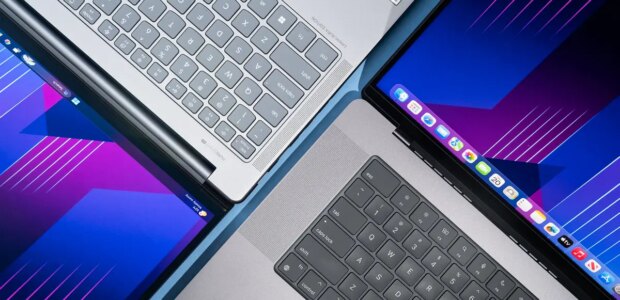

Dave Gershgorn/NYT WirecutterTop pickThe Apple MacBook Pro is an industry standard for editors due to its fast processor, accurate screen, and 17-hour battery life.The MacBook Pro has long been an industry standard for media editors due to its fast performance, high-quality display, and slim, refined design. The newest version, the Apple MacBook Pro (14-inch, M5 Pro, 2026), continues that tradition, but both Windows laptops and Mac laptops with Apple’s own consumer-level processors have started to close the gap in performance. The MacBook Pro remains a fantastic editing machine, with its impressively accurate display, the longest battery life for a laptop this powerful, energy-efficient performance, near-silent fans, and the integrations of the Mac ecosystem. But it isn’t the only option anymore.The MacBook Pro with the M5 Pro chip is the best Mac option for working professionals who need an editing suite on the go. If you work with abnormally large files or work in time-critical environments where shaving a minute off an export time is worth $1,000, you should upgrade to the M5 Max chip.The M5 Pro is significantly faster than the M4. Our testing showed a jump in performance compared with the M4 MacBook Pro — as much as about 25%, depending on the test. The new M5 Pro was the fastest chip when transcoding 4K into smaller 1080p video clips, as well as when exporting two-, five-, and 10-minute videos in 1080p and 4K in DaVinci Resolve. However, as those clips got larger, and as we used different editing software, the Lenovo Yoga Pro 9i started to process the video faster: In Premiere Pro, the Lenovo model exported a 10-minute 4K video about twice as fast. But Premiere Pro is the only application where the Mac seriously lagged the Windows option. In performance benchmarks, tests that measured the speed of each laptops’s storage, export tests in DaVinci Resolve, and tests of transcoding video from 4K to 1080p in Handbrake, the MacBook Pro came out ahead.Export test, 4K, 2 minutesExport test, 4K, 5 minutesExport test, 4K, 10 minutesExport test, 1080p, 2 minutesExport test, 1080p, 5 minutesExport test, 1080p, 10 minutesLenovo Yoga Pro 9i, Intel Core Ultra 285H, Nvidia RTX 50500:482:013:590:431:523:44Apple MacBook Pro 16-inch, M5 Pro, 48 GB1:554:479:350:371:333:04Apple MacBook Pro 14-inch, M5, 24 GB1:404:118:220:572:244:49Times are in minutes:seconds.The MacBook Pro has an excellent display. Apple’s displays are impressively accurate out of the box, to the degree that most people wouldn’t be able to tell the difference between the intended color and the “incorrect” color being shown, even if they had a reference image. We measured color accuracy in the sRGB and DCI-P3 colors spaces, and the MacBook Pro was dead-on accurate in both. Apple also has a tool to help calibrate the XDR display on the MacBook Pro, if you want to ensure the most precise color.Color-accuracy test results, sRGBApple MacBook Pro(16-inch, M5 Pro, 2026)Lenovo Yoga Pro 9iGrayscale0.501.94ColorChecker0.281.14Saturation0.351.28Lower numbers are better. The Calman color-calibration software generates these scores by using the Delta E 2000 equation to determine the perceived difference between colors. Scores under 2.0 indicate that inaccuracies can be found when the viewer closely compares the results against the original, and scores under 1.0 mean that inaccuracies are imperceptible to the human eye.Its screen is bright enough for editing in bright conditions. The MacBook Pro’s backlight gets to about 400 nits, bright enough for most inside environments; beyond that, it uses an ambient-light sensor to increase its brightness up to 1,000 nits. You’ll probably want to leave the auto-brightness on, unless you’re always working indoors. This impressively bright backlight allows you to work in sunnier conditions than with any other laptop we’ve tested, and if doing so is commonplace where you work, we also recommend the optional nano-texture glass. Rather than a glass coating, the nano-texture is actually scratched or otherwise applied into the glass itself, so it diffuses light rather than deflecting it back. The nano-texture can cause a bit of a washed-out, diffused glare, but in the situations we tested, the MacBook Pro’s backlight was bright enough to overcome that effect. If you work primarily outside, the nano-textured glass makes the MacBook Pro far more usable for an additional $150.It has an upgraded webcam. The 12-megapixel webcam is sharp and much better in low light than previous MacBook webcams. It outputs 1080p resolution video and works well for video calls. Apple has also added Desk View, an option for attempting a top-down view of an object just in front of your laptop, such as a diagram on a notepad. We found the resolution to be a bit low, and the footage looked as if it were coming from a strange angle, but creative people are sure to put it to better use.The MacBook Pro runs cool. We have little to say about the MacBook Pro’s noise and heat, mainly because we didn’t notice much of either. The system stayed cool even during our export tests, so we could easily keep it on our laps even when the computer was doing heavy lifting. In this regard, the MacBook Pro had an advantage over every Windows laptop we tested, all of which became warm to the touch and turned on an audible fan when the processor was under a heavy editing load.The MacBook Pro has an SD card reader, USB-C port, and HDMI port on its right side. Dave Gershgorn/NYT Wirecutter Dave Gershgorn/NYT WirecutterThe MacBook Pro has an SD card reader, USB-C port, and HDMI port on its right side. Dave Gershgorn/NYT WirecutterIt has some modern ports such as USB-C, but no USB-A. The MacBook Pro with Apple’s M5 Pro chip has a MagSafe charging port, an SD card reader, an HDMI port, and three USB-C ports, in addition to retaining the headphone jack. We like that USB-C ports occupy both sides of the laptop, which limits the possibility of a chunky cable blocking valuable port space. All of the USB-C ports on the MacBook Pro are Thunderbolt 5 enabled, so you can charge your laptop, hook it up to external displays, and transfer data at the fastest speed available on either side of the laptop. You don’t have many Thunderbolt 5 devices or accessories to choose from at the moment, however. Also, the MacBook Pro lacks a USB-A port.The laptop has great battery life. In our battery test, which simulates web browsing and video playback at a standardized brightness across every device, the 14-inch MacBook Pro was again the top performer. It lasted about 17 hours, around six hours longer than the Lenovo Yoga Pro 9i.It isn’t the most portable laptop, but you can still easily travel with it. The MacBook Pro is large, but it still fits inside backpacks with ease. The 16.2-inch version has a 100-watt-hour battery, the largest allowed on domestic flights in the United States. The 14-inch version has a smaller, 70-watt-hour battery.Flaws but not dealbreakersRepairing or replacing components is essentially impossible. Apple has soldered the processor, RAM, and storage to the computer’s motherboard. The inability to repair these parts shortens their lifespan.The camera notch can be annoying. If an application has more than seven or eight menu tabs, the notch can block some of them. Apple has released a simple workaround, allowing you to switch certain apps to display their menu items below the menu bar.There are no USB-A ports. That means older peripherals won’t work without a dongle. USB-C has been around for a while, however, and although fiddling with a dongle is a little annoying, we’ve found that few of our accessories still require the older cable.It’s pretty heavy. The 16-inch MacBook Pro weighs 4.7 pounds without the charger or any additional accessories, and the 14-inch version weighs about 3.4 pounds. If you’re tucking it into a Pelican case with other gear, that might not be a big deal, but the weight adds up in a backpack or bag. (The 16-inch laptop actually weighs about the same as a standard brick. If you’re unsure about whether you can tolerate the weight, carrying around a brick in your backpack could be a fun test.) We tested the 14-inch version this time, but generally we recommend the 16-inch version of the laptop because it provides more screen real estate for video editing. If weight is a concern for you, consider the smaller laptop.
Source link