

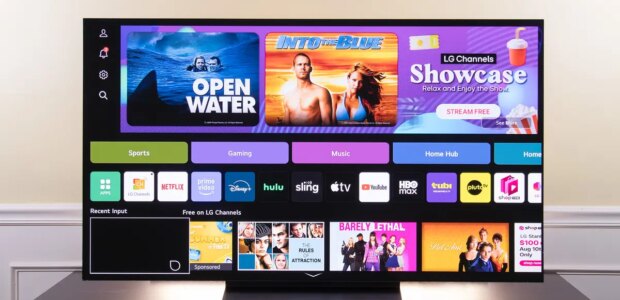

Here are some things to try if you’re looking to improve the speed and functionality of your TV’s smart software:1. Fully restart your smart TV. It seems silly to say “Turn your TV off and turn it on again,” since you likely do that multiple times a day. But just as with your phone or laptop, you can turn your TV’s screen off, but that isn’t actually turning it completely off. Smart TVs continue to run, staying connected to the internet and running background processes for the last streaming apps you used. That means, unless you regularly unplug your TV, it likely hasn’t been actually turned off in quite some time. Most modern smart TVs allow you to trigger a hard restart in the system menu (usually under system or general settings). If you can’t find a restart option, an easier solution is to just unplug the TV from its power source and wait for 10 to 15 minutes. This will force the TV to clear its RAM and force-stop any ongoing background processes. It’s like restarting your computer versus simply waking it up from sleep mode. 2. Uninstall unused apps. Generally, the more storage your TV has available, the smoother its operation is. If you’ve ever had to uninstall apps on your smartphone to make room for updates or new apps, you’ll recognize this process. Unlike your smartphone — which is designed from the ground up to have lots of apps — most smart TVs simply don’t have enough storage to continually update a large number of apps. Most smart TVs have around 4 GB of storage, but some models only have 2 GB, so uninstalling unused apps can help speed things up. Lee Neikirk/NYT WirecutterEntry-level smart TVs may have as little as 2 gigabytes of storage, while the average smart TV has 3 GB or 4 GB, and even the most expensive TVs usually have only 6 GB to 8 GB. Compare that with smartphones, where even the cheapest models have upwards of 64 GB, or dedicated media streaming devices, where even the cheapest models have at least 4 GB — and many have 16 GB or 32 GB of storage. This is why it’s a good idea to check the onboard memory in a TV’s specifications before you buy: If you can find one with at least 4 GB, its software will perform better in the long run.For most smart TVs, the uninstall process requires simply navigating to the app on the home screen, long-pressing on it, and selecting Remove or Uninstall.3. Clear the cache. Once you’ve decided which apps you want to keep, it’s a good idea to clear out all the cached data that’s been hanging around. Usually you can clear cached data in the network or app menu. Depending on the brand of your TV, you may be able to clear all of its cached data at once, or you may have to go app by app. But don’t worry, clearing the cache memory won’t delete your passwords or network info. Clearing out your smart TV’s cached data periodically can help to keep its software operating smoothly. Adrienne Maxwell/NYT Wirecutter4. Update your TV’s software. Most smart TVs, assuming they’re connected to the internet, automatically update their operating system when an update is rolled out. But if you’ve turned off automatic updates or you regularly keep your TV disconnected from the internet, you can manually prompt the TV to check for available software updates by navigating to the network menu.5. Perform a full factory reset. This process completely resets your TV, and afterward you’ll have to set it up again, as though you were using it for the first time, so it’s something of a last resort. Usually you can find this option in the system menu or general settings menu, and usually it’s all the way at the bottom. This process not only deletes all of your app data and any apps you installed that weren’t preinstalled in the TV’s software, but it also resets your TV to the version of the software that it shipped with, which means it will need to update again once initial setup is complete. Performing a factory reset will clear the cached data, remove apps, and reset the system, but you’ll have to run through the initial setup process again. Jon Chase and Lee Neikirk/NYT Wirecutter
Source link